// PACKAGING MOCKUP
Packaging mockup — upload your logo or label, get the packaging photo
Put your design on a kraft mailer box, a white product box, a cosmetic bottle or a glass jar. Pick the packaging, upload the artwork, download the image.
30 welcome credits. Each mockup costs 3 credits. No watermark.
What the packaging mockup does
The packaging mockup generator is part of Keter Labs, an AI creative studio. You upload a logo or label, pick a mailer box, product box, cosmetic bottle or glass jar, and the model places your design on that blank's print surface with its material, curve and lighting. You get a finished image, not a template to edit.
- Blanks
- Kraft mailer box, white product box, cosmetic bottle, glass jar
- Best used for
- Store listings, pitch decks, launch posts, client sign-off
Mailer box, product box, bottle and jar blanks
Each blank takes one design on one surface.
| Blank | What it is | Where your design goes | Use it for |
|---|---|---|---|
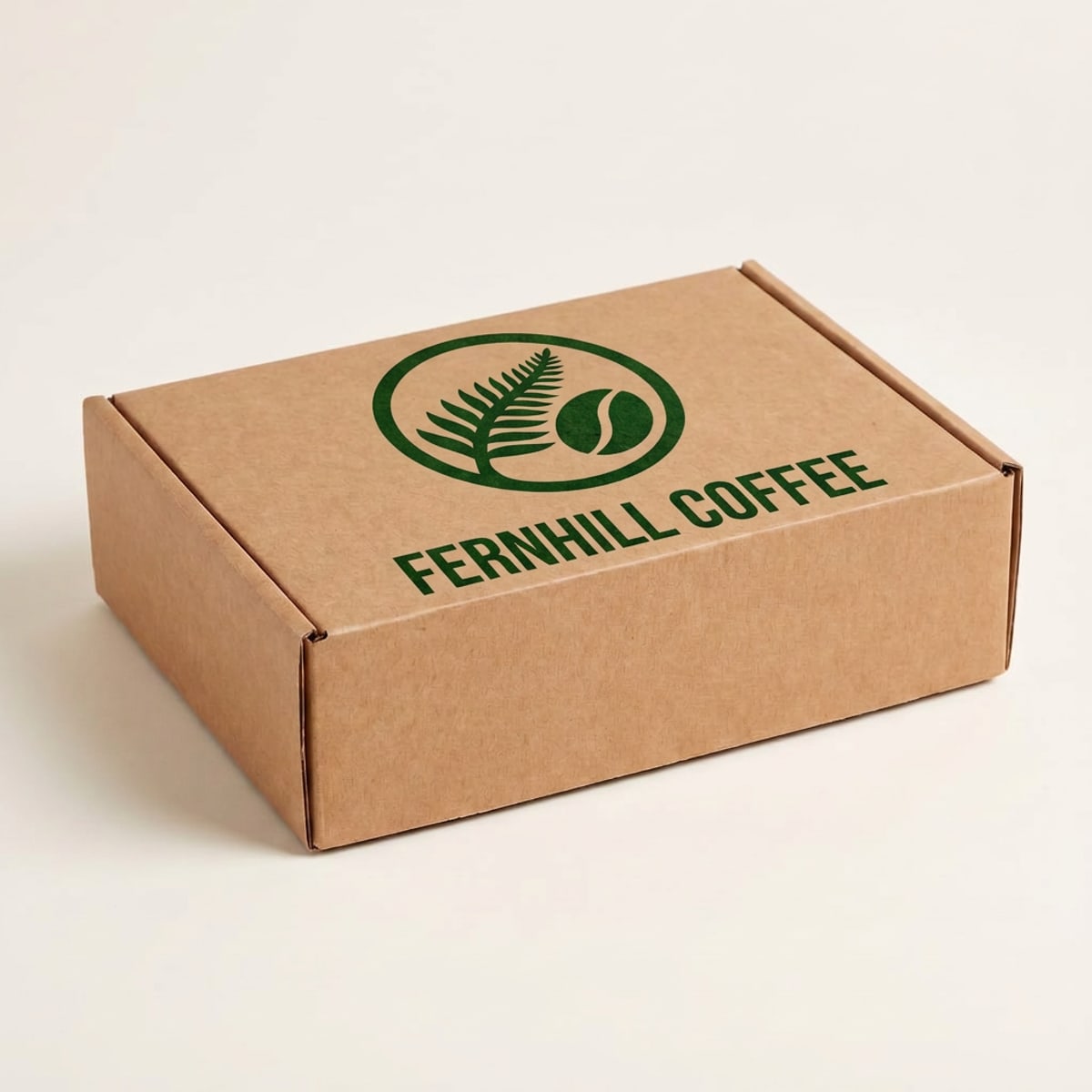
| Kraft mailer box | A closed brown corrugated mailer box, shot from above at an angle | The top lid, printed onto the kraft | Shipping and subscription packaging |
| White product box | A closed white retail box standing upright, front and one side in view | The front face, with a printed card finish | Retail and product launches |
| Cosmetic bottle | A frosted glass serum bottle with a silver pump and a white wraparound label | The front label, wrapped around the curve | Skincare and beauty products |
| Glass jar | A clear glass jar of honey with a gold lid and a white label band | The label band, wrapped around the curve | Food and small-batch products |
| Your own product photo | Or upload a photo of your own product and use that as the base. |
How to make a packaging mockup
- 1
Pick the packaging
Choose the mailer box, product box, cosmetic bottle or glass jar, or upload a photo of your own product.
- 2
Upload your design
PNG, JPEG or WebP. A PNG with a transparent background works best for a logo.
- 3
Generate and download
The model places your design on the print surface, and you download the image.
What you get
| Mailer box | Design on the top lid |
| Product box | Design on the front face |
| Cosmetic bottle | Design on the front label, wrapped around the curve |
| Glass jar | Design on the label band, glass reflections kept |
| Everything else | Stays as it is on the blank |
| Designs per mockup | One |
| Upload formats | PNG, JPEG, WebP |
| Transparent PNG | Recommended for logos. Make one with Remove Background |
| Output | A finished image file |
| Watermark | None |
| Cost | 3 credits per mockup |
| Free allowance | 30 welcome credits, which covers 10 mockups |
| Failed runs | Refunded, so a timeout costs no credits |
Looking for a PSD with separate panels
This isn't a template library. You upload one design and get a finished image, so there's no PSD, no Smart Object and no separate artwork for the front, sides and back. If you need every panel designed and editable, a PSD packaging library is the better fit.
What this tool doesn't do
Four blanks: a kraft mailer box, a white product box, a cosmetic bottle and a glass jar.
Each blank has a fixed camera angle you can't change.
One design goes on one surface: the mailer's lid, the box's front, the bottle's label or the jar's label.
The box sides and back stay plain.
The jar is filled with honey and the bottle sits next to a sprig of eucalyptus. Neither can be changed.
Box, bottle and lid colors can't be changed.
No pouches, cans, tubes, bags, wine bottles or open boxes yet.
No dielines or print-ready files.
You get a finished image, not a layered file.
Who uses it
Small product brands
store listings and launch posts
Packaging and brand designers
client presentations
Food and skincare makers
jar and bottle label previews
Other mockups
| Mockup generator (hub) |
| T-shirt mockup generator |
| Book mockup generator |
| Logo mockup generator |
| Phone mockup generator |
| Keter Labs — The AI creative studio this tool is part of |
Frequently asked questions
Can I put a different design on each side of the box?+
No. One design goes on the top lid of the mailer box or the front face of the product box. The sides and back stay plain.
What kind of logo works best on a kraft mailer box?+
Dark, single-color logos look most like a real print on kraft.
Can I change what's in the jar?+
No. The glass jar is filled with honey, and that stays the same in every mockup.
What label shape fits the bottle and the jar?+
A tall label layout fits the cosmetic bottle best. A wide label layout fits the glass jar best. For the product box, a full packaging front or a centered logo both work.
How do I make a packaging mockup without Photoshop?+
Upload your logo or label to Keter Labs and pick a packaging blank. The model places the design and returns a finished image you can download. There's no PSD, Smart Object or per-panel artwork involved.
Is it free?+
New accounts get 30 welcome credits. Each mockup costs 3 credits, so that covers 10 mockups. Output has no watermark.
What happens if a generation fails?+
Failed and cancelled runs refund the credit hold, so a timeout doesn't cost you anything.
Upload a design and see it on your packaging.