// T-SHIRT MOCKUP GENERATOR
T-shirt mockup generator — upload a design, get the shirt photo
Put your artwork on a white or black t-shirt, with the print following the fabric folds and lighting.
30 welcome credits. Each mockup costs 3 credits. No watermark.
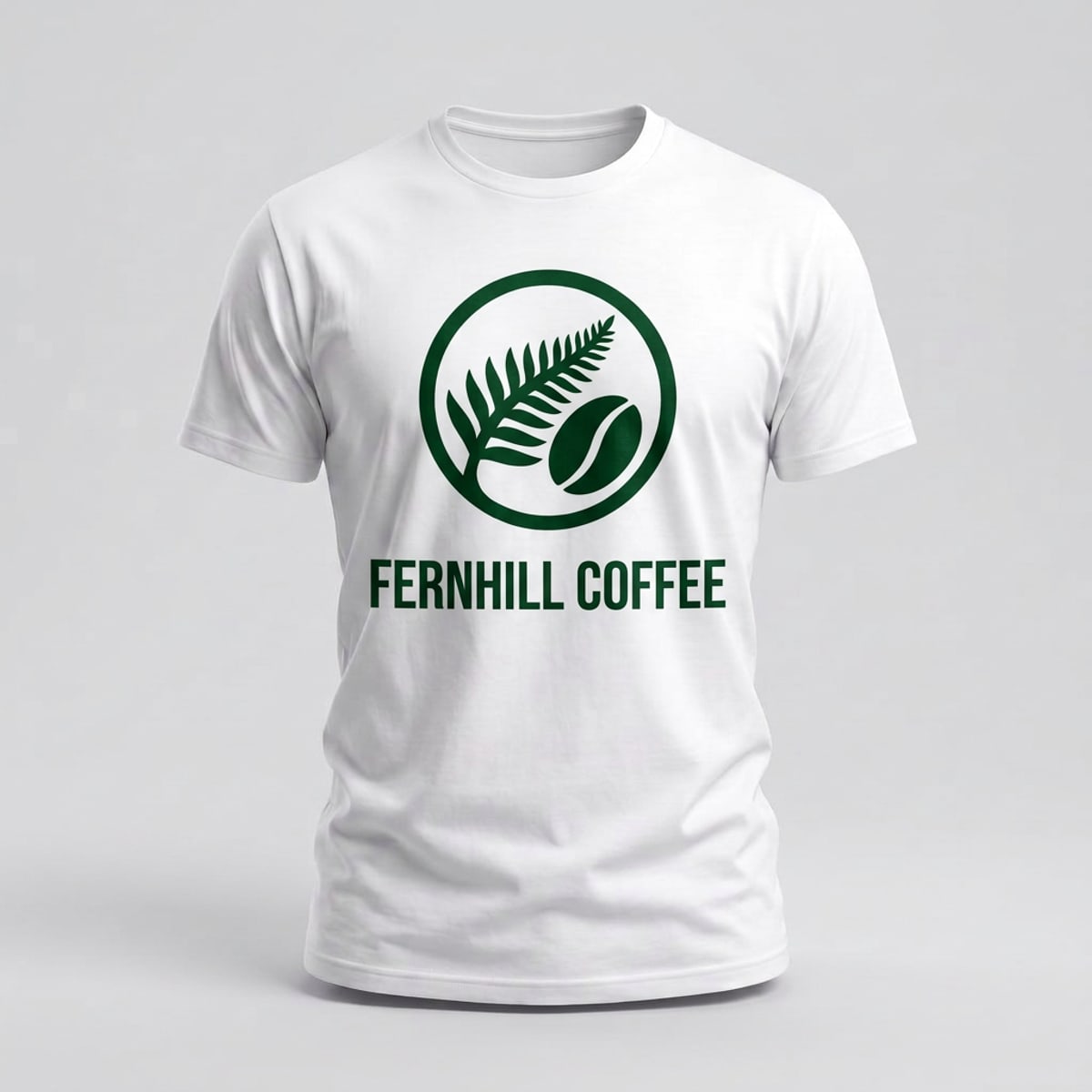
What the t-shirt mockup generator does
The t-shirt mockup generator is part of Keter Labs, an AI creative studio. You upload your design, pick a white or black shirt, and the model places the print onto the fabric with the folds, shadows and perspective of the blank. You get a finished image, not a template to edit.
- Blanks
- White t-shirt, black t-shirt
- Best used for
- Print-on-demand listings, client presentations and product shots before a sample arrives
White and black t-shirt blanks
Both blanks are plain crew-neck cotton, shot front-on with an invisible mannequin so the shirt holds its shape with nobody wearing it. Or upload a photo of your own shirt instead and use that as the base.
| Blank | Use it for |
|---|---|
| White t-shirt | Dark and colourful prints, where you want maximum contrast |
| Black t-shirt | Light prints, white ink and anything that needs to sit on a dark base |
How to put your design on a t-shirt
- 1
Pick your shirt
Choose the white or black blank, or upload a photo of a shirt you already have.
- 2
Upload your design
PNG, JPEG or WebP. A transparent PNG gives the cleanest edges around the print.
- 3
Generate and download
The model places the design with the folds, shadows and perspective of the shirt, and you download the image.
What you get
| Blanks | White t-shirt, black t-shirt |
| Style | Plain crew neck, cotton |
| View | Front, invisible mannequin |
| Your own shirt photo | Supported as an alternative base |
| Upload formats | PNG, JPEG, WebP |
| Transparent PNG | Recommended, not required |
| Output | A finished image file |
| Watermark | None |
| Cost | 3 credits per mockup |
| Free allowance | 30 welcome credits, which covers 10 mockups |
What this tool doesn't do
Front view only — there's no back view yet.
Two colourways, white and black.
One fit — plain crew neck, no oversized, boxy or long sleeve.
You get a finished image, not a layered file you can edit afterwards.
Who uses it
Print-on-demand sellers
listing photos for Etsy, Shopify, Printful and Printify without ordering a sample first
Designers
showing a client how a print sits on a shirt before anything goes to production
Merch and small brands
shots for a drop announcement or a pre-order page
Other mockups
| Page |
|---|
| Mockup generator |
| Logo mockup generator |
| Book mockup generator |
| Phone mockup generator |
| Packaging mockup generator |
| Keter Labs — The AI creative studio this tool is part of |
Frequently asked questions
Do I need my own t-shirt photo?+
No. Pick the white or black blank and upload only your design. If you already have a photo of a shirt you want to use, you can upload that instead and use it as the base.
What colours are available?+
White and black. Both are plain crew-neck cotton shot front-on. Other colourways aren't available yet.
Can I get a back view?+
Not yet. The t-shirt blanks are front view only. If you need front and back for a listing, you'd need to handle the back separately for now.
How do I make a t-shirt mockup without Photoshop?+
Upload your design to Keter Labs and pick a shirt blank. The model places the print and returns a finished image you can download. There's no PSD file, no Smart Object and no editing software involved.
Is it free?+
New accounts get 30 welcome credits. Each mockup costs 3 credits, so that covers 10 shirts. Output has no watermark on any plan.
Can I use the image for Etsy or Shopify listings?+
The generator returns a standard image file, so you can upload it to any store the same way you would a photograph. There's no direct store integration — you download the image and add it where you need it.