// AI IMAGES
AI image generator — pick a model, write a prompt, get up to four images
A text to image AI generator for posts, banners, thumbnails and product shots.
2 credits per image. 30 welcome credits cover 15.
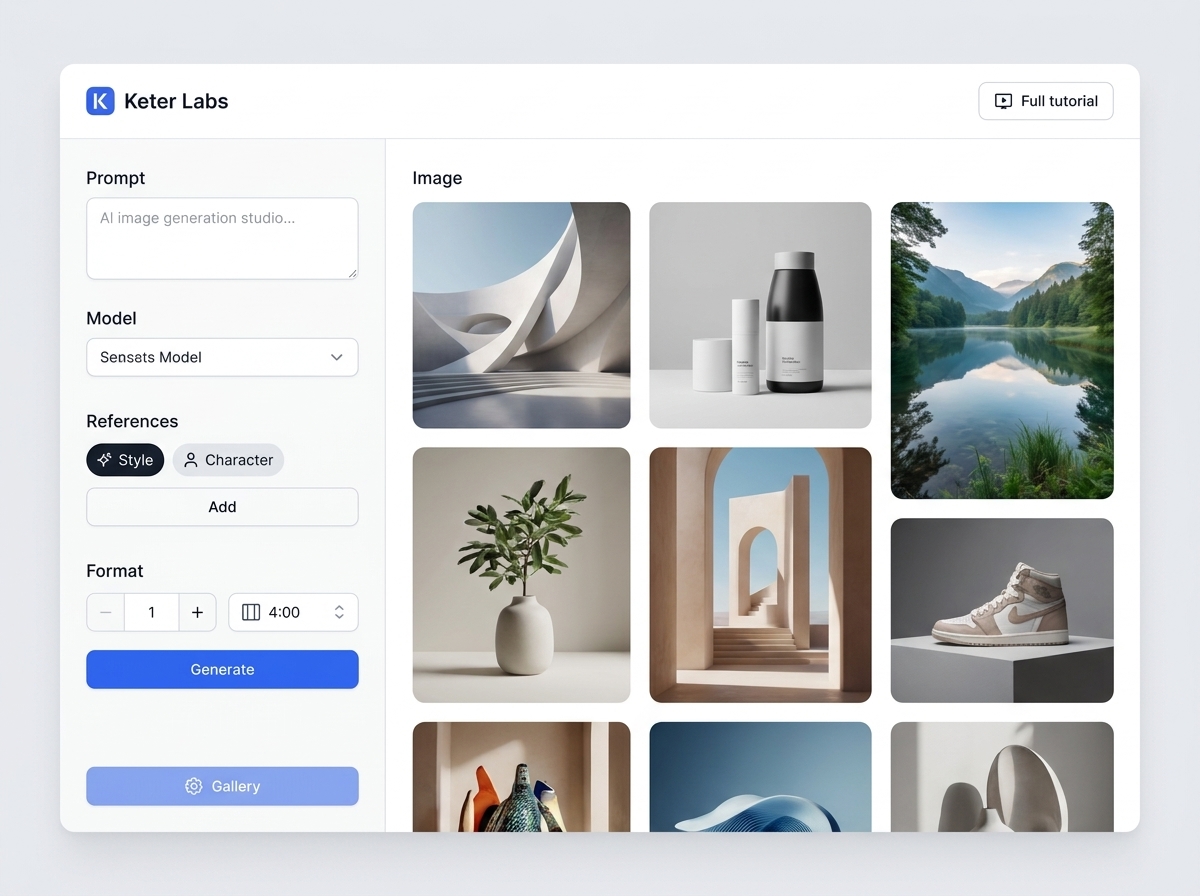
What the AI image generator does
The AI image generator is a tool inside Keter Labs, an AI creative studio. You pick a model, write a prompt and get one to four images in the shape you need. This AI image creator charges 2 credits per image, 8 for a default run of four.
Pick a model
Switch to Nano Banana Pro to use it as a Nano Banana Pro AI image generator, or pick FLUX for a seed.
| Model | Reference images | Seed |
|---|---|---|
| GPT Image 2 | Yes | No |
| Nano Banana Pro | Yes | No |
| Nano Banana 2 | Yes | No |
| FLUX.1 [dev] | No uploads, saved styles as text | Yes |
| FLUX.1 [schnell] | No uploads, saved styles as text | Yes |
| Auto | Chooses for you | Varies |
Pick the aspect ratio for where the image goes
The shape decides where the subject sits. 1:1 is the default.
| Ratio | Fits | Framing tip |
|---|---|---|
| 1:1 | Feed post, profile picture, product tile | Subject in the centre |
| 4:3 | Blog image, slide | Some room at the edges |
| 16:9 | YouTube thumbnail, web banner | Subject on one side, space for a title |
| 9:16 | Story, Reel, phone wallpaper | Top and bottom kept clear |
Prompt examples by use
Good AI image prompts name the subject, setting, style and light. Ask for no text and add the words later in Designer.
| Use | Example prompt | Ratio |
|---|---|---|
| Realistic product photo | Matte black water bottle on a light oak table, soft window light | 1:1 |
| Poster | Retro travel poster of a coastal town at sunset, empty sky at the top, no text | 9:16 |
| YouTube thumbnail or banner | Surprised person holding a cracked phone, rim light, plain blue right half, no text | 16:9 |
| Instagram post | Overhead latte and croissant on a marble counter, warm natural light | 1:1 |
| Phone wallpaper | Misty pine forest at dawn, muted greens, tall trees filling the frame | 9:16 |
| Pixel-art scene | Pixel-art fishing village at night, glowing windows, 16-bit game style | 4:3 |
Use a reference image
GPT Image 2 and both Nano Banana models take PNG, JPEG or WebP references up to 8 MB. Upload it as a Style to match a look, or as a Character to keep a person or mascot. Saved styles from your library work too.
| To change an existing photo itself, use Reimagine. |
Text to image in four steps
- 1
Pick a model
GPT Image 2 is the default.
- 2
Write the prompt
The prompt enhancer rewrites it first, and you can switch it off.
- 3
Set the shape and count
Choose a ratio, one to four images and any reference.
- 4
Keep what works
Download the images or save them to your account.
What you get
| Cost | 2 credits per image |
| Welcome credits | 30, once |
| Credits | One balance for every tool |
| Failed runs | Not charged |
| History | Past images stay in your account |
| Watermark | None added |
What to do with the image next
| Next step | Tool | Credits |
|---|---|---|
| Edit with a prompt | AI photo editor | 3 |
| Enlarge it | AI image upscaler | 3 |
| Cut out the subject | AI background remover | 3 |
| Put it on a product | Mockup generator | 3 |
| Start from your own drawing | Sketch to image | 2 |
| Reuse one character | Custom characters | 2 |
| Turn it into a clip | AI video generator | From 25 |
What this tool doesn't do
Four aspect ratios, and four images at most per run.
No mask or brush to change one area.
Text inside an image can come out misspelled.
Seed works on FLUX only, and FLUX takes no uploads.
Output is PNG, JPEG or WebP, depending on the model.
No SVG or vector export.
It doesn't transform an uploaded photo. Reimagine does.
Other image tools
Frequently asked questions
Is the AI image generator free?+
New accounts get 30 welcome credits once, enough for 15 images from this AI image maker.
Which models does this AI picture generator use?+
GPT Image 2, Nano Banana Pro, Nano Banana 2 and two FLUX models, or Auto.
Can I make an AI image from an existing photo?+
Yes. Upload it as a Style or Character reference. To edit the photo itself, use Reimagine.
Can I use the images commercially?+
Keter Labs' Terms say you own what you generate, "subject to applicable law and third-party model terms" and "to the extent originality is legally recognized." Read the full Terms before paid work.
What happens if a generation fails?+
You aren't charged. Credits for a failed or cancelled run go back to your balance.