// LOGO MOCKUP
Logo mockup generator — upload one logo, see it on nine surfaces
The same logo goes on a wall, a sign, cards, packaging and merch. Pick the surface, upload the artwork, download the image.
Ten mockups, full resolution, no watermark.
What the logo mockup generator does
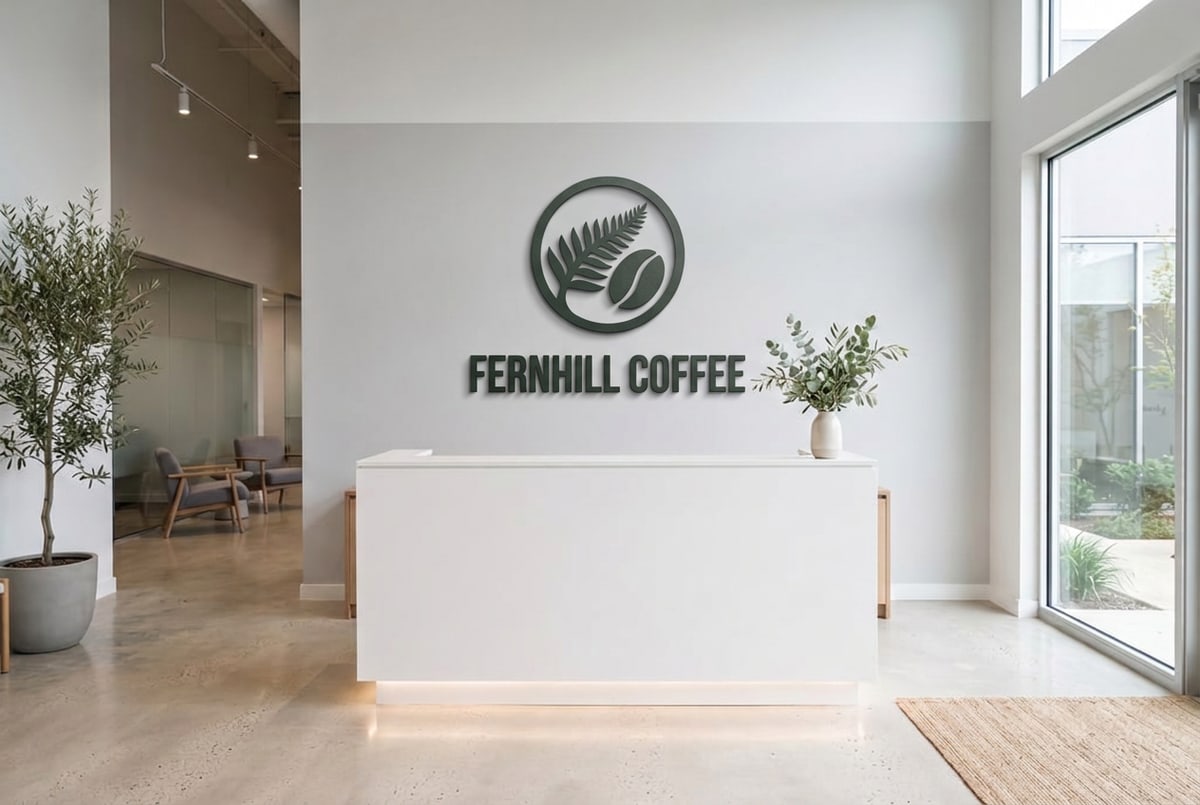
The logo mockup generator is a tool inside Keter Labs, an AI creative studio. You upload a logo, choose a surface, and the model places your mark on it, matching that surface's perspective, texture and lighting. Everything else in the photo stays as it was.
- Takes
- A logo as PNG, JPEG or WebP, up to 8 MB
- Returns
- A finished photo of that surface carrying your logo
The nine surfaces
Or upload a photo of something you already have and use that as the surface.
| Surface | Where your logo goes |
|---|---|
| Office reception wall | Mounted on the wall behind the desk |
| Storefront sign | On the sign board above the shop |
| Business card stack | On the top card |
| Kraft mailer box | On the top lid |
| Paper shopping bag | On the front of the bag |
| White mug | On the visible side |
| White t-shirt | On the chest |
| Navy cap | On the front panel |
| T-shirt on a model | On the chest, worn |
How to make a logo mockup
- 1
Pick a surface
Wall, sign, cards, box, bag, mug, shirt or cap. Or upload your own photo.
- 2
Upload your logo
PNG, JPEG or WebP, up to 8 MB. A PNG with a transparent background sits cleanest on most surfaces.
- 3
Generate and download
The logo is placed with that surface's perspective and lighting, and you download the image.
What you get
| Surfaces | Office wall, storefront sign, business cards, mailer box, shopping bag, mug, t-shirt, cap, worn t-shirt |
| Your own photo | Supported as an alternative surface |
| Where the logo goes | One surface per run, on the area named above |
| What stays unchanged | The rest of the photo, including its colours, materials and shadows |
| Upload formats | PNG, JPEG, WebP |
| Upload size | Up to 8 MB |
| Output resolution | Full, no watermark |
| Cost | 3 credits per mockup |
| Free mockups | Ten |
| Failed runs | Refunded, so a timeout costs no credits |
Looking for a logo mockup PSD
This isn't a template library. You get a finished image, so there's no PSD, no Smart Object and no layered file to open. If you want something you can edit yourself, or a surface that isn't on the list above, a PSD mockup library is the better fit.
What this tool doesn't do
Nine surfaces, each with a fixed camera angle you can't change.
One surface per run, so a full brand sheet takes one run per surface.
Packaging here means a kraft mailer box and a paper shopping bag, not bottles, jars or labels.
No neon, embossed, etched or illuminated sign finishes.
The mug is white, the t-shirt is white and the cap is navy. Colours can't be changed.
No control over how large the logo sits on the surface.
You get a finished image, not a layered file.
Who uses it
Designers presenting a logo
the same mark across a wall, a sign and cards in one set
New businesses
seeing a logo on a shopfront and packaging before anything is ordered
Brand and marketing teams
quick visuals for a deck or a pitch
Other mockups
| Mockup generator (hub) |
| T-shirt mockup generator |
| Book mockup generator |
| Phone mockup generator |
| Packaging mockup generator |
| Keter Labs — The AI creative studio this tool is part of |
Frequently asked questions
Can I put my logo on all nine surfaces at once?+
No. Each run places the logo on one surface. Running it nine times gives you the full set, at 3 credits each.
What logo file works best?+
A PNG with a transparent background. On a wall, a sign or a mug, a logo with a white box around it will show that box. PNG, JPEG and WebP are all accepted, up to 8 MB.
Can I change the mug or shirt colour?+
No. The mug and t-shirt are white and the cap is navy. If you need a different colour, upload a photo of the item you have and use that as the surface instead.
Does "packaging" include bottles or jars?+
Not on this page. The packaging surfaces here are a kraft mailer box and a paper shopping bag. For bottles, jars and product boxes, the packaging mockup generator covers those.
Can I control where the logo sits on the surface?+
No. Each surface has a set area the logo goes on, listed in the table above. There's no position or size control.
Is it free?+
New accounts get 30 welcome credits, which covers ten mockups. Each one after that costs 3 credits. Output is full resolution with no watermark.
What happens if a generation fails?+
Failed and cancelled runs refund the credit hold, so a timeout doesn't cost you anything.
Upload a logo and pick a surface.