// PHONE MOCKUP
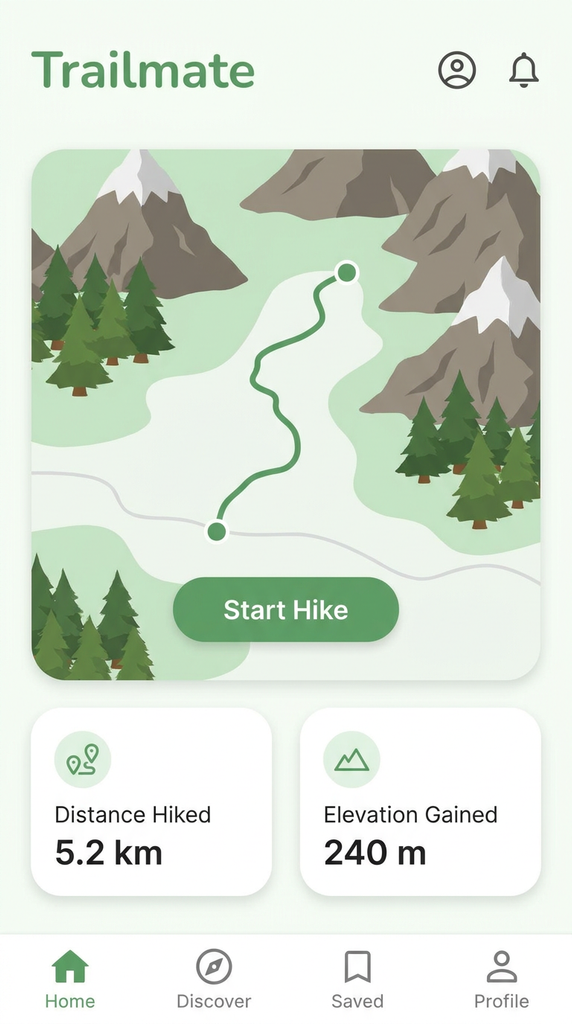
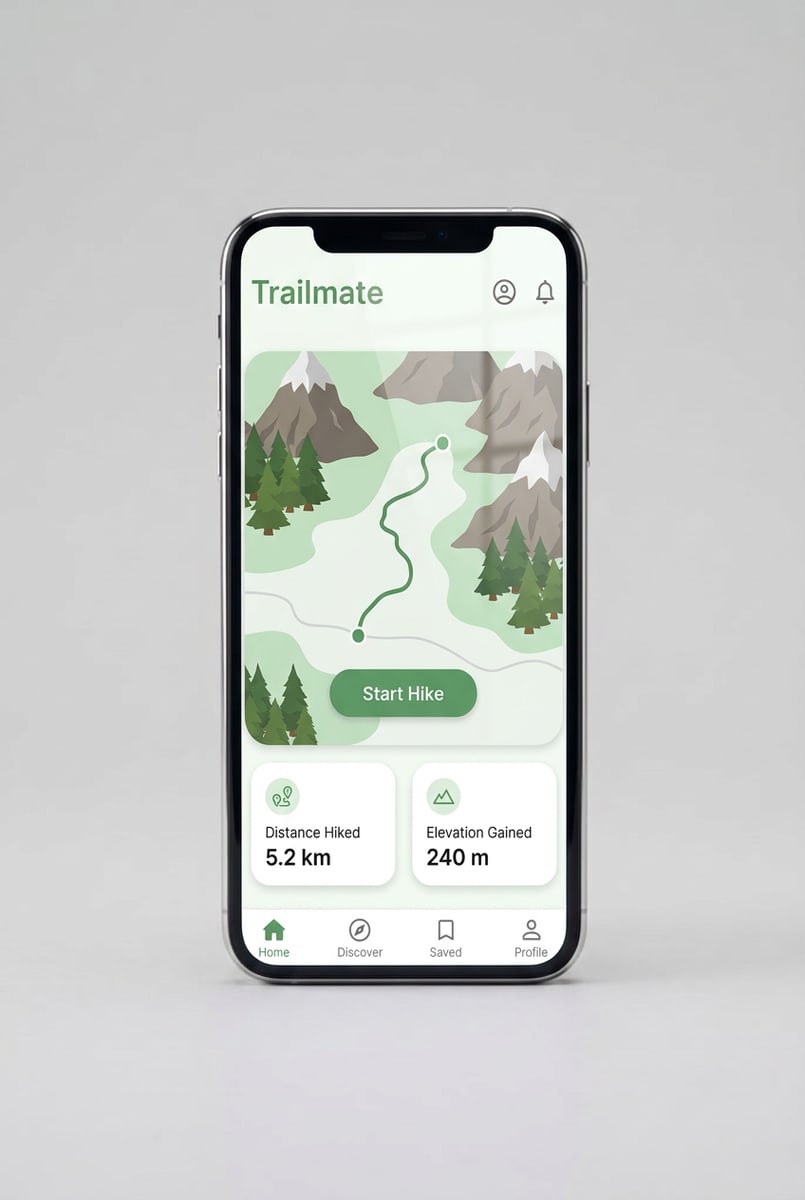
Phone mockup — upload an app screen, get the phone photo
Put your app screen on a generic smartphone with no logo. Upload the screen, generate, download the image.
30 welcome credits. Each mockup costs 3 credits. No watermark.
What the phone mockup does
The phone mockup generator is part of Keter Labs, an AI creative studio. You upload an app screen, and the model places it on the screen of a generic smartphone, inside the bezel, with the phone's perspective, lighting and a faint glass reflection. You get a finished image, not a template to edit.
- Blank
- Generic modern smartphone, straight front view, no logo
- Best used for
- Launch pages, pitch decks, portfolio and case-study images, social posts
The phone blank
One smartphone, shot straight from the front. Or use a photo of your own phone as the base.
| Option | What it is | Use it for |
|---|---|---|
| Generic smartphone | A modern phone with thin bezels, standing upright on a light grey background, with no logo or model name | App screens, mobile website screenshots, UI shots |
| Your own photo | A photo of a phone you already have, used as the base | When you need a specific device or setting |
| Deep link | ?product=phone opens the phone task with the smartphone selected first |
How to make a phone mockup
- 1
Pick the phone
Choose the generic smartphone, or switch to "Use my own photo" and upload a picture of your phone.
- 2
Upload your screen
PNG, JPEG or WebP. An app screen or design in a tall portrait ratio fits the phone best.
- 3
Generate and download
The model places your screen inside the bezel with the phone's perspective and lighting, and you download the image.
What you get
| Blank | Generic modern smartphone |
| View | Upright, straight from the front |
| Branding | No logo or model name |
| Where the design goes | The screen only, inside the bezel |
| Screen finish | A faint glass reflection |
| Your own phone photo | Supported as an alternative base |
| Upload formats | PNG, JPEG, WebP |
| Best screen shape | Tall portrait |
| Phones per image | One |
| Output | A finished image file |
| Watermark | None |
| Cost | 3 credits per mockup |
| Free allowance | 30 welcome credits, which covers 10 mockups |
| Failed runs | Refunded, so a timeout costs no credits |
Looking for a PSD or Figma file
This isn't a template library. You get a finished image, so there's no PSD, no Smart Object and no Figma file to open. If you want a layered file you can edit yourself, a PSD library or Figma Community is the better fit.
What this tool doesn't do
One phone blank, shot straight from the front.
The camera angle can't be changed.
No hand-held, angled, floating or desk scene views yet.
It's a generic smartphone, not an iPhone, Samsung or Pixel model.
The design goes on the screen only.
One phone per image.
Landscape screenshots aren't refitted, so use a tall portrait screen.
No App Store or Google Play screenshot sizes or captions.
You get a finished image, not a layered file.
Who uses it
App developers
launch pages and pitch decks before the app is out
UI and UX designers
portfolio shots, case studies and client reviews
Indie makers and small teams
release posts on social
Other mockups
| Mockup generator (hub) |
| T-shirt mockup generator |
| Book mockup generator |
| Logo mockup generator |
| Packaging mockup generator |
| Keter Labs — The AI creative studio this tool is part of |
Frequently asked questions
Is it an iPhone mockup?+
It isn't a named model. The blank is a generic modern smartphone with no logo, and the tool doesn't add one. Your app screen goes on it the same way whatever platform it was built for.
Can I use an Android app screen?+
Yes. Any app screen can go on the phone. The phone itself is generic, not a Pixel or Galaxy model.
Where does my design go?+
On the phone's screen, inside the bezel. The model matches the phone's perspective and lighting and adds a faint glass reflection. The rest of the photo stays as it is.
What size should my screenshot be?+
Use an app screen or design in a tall portrait ratio. There's no setting to rotate or refit a landscape screenshot, so crop it to portrait before you upload.
How do I make a phone mockup without Photoshop or Figma?+
Upload your app screen to Keter Labs and pick the phone blank. The model places the screen and returns a finished image you can download. There's no PSD, Smart Object or Figma file involved.
Is it free?+
New accounts get 30 welcome credits. Each mockup costs 3 credits, so that covers 10 mockups. Output has no watermark.
What happens if a generation fails?+
Failed and cancelled runs refund the credit hold, so a timeout doesn't cost you anything. You can run it again.
Upload a screen and see it on a phone.