AI background remover

AI Background Remover for Product and Campaign Images

Remove image backgrounds for product photos, campaign visuals, social graphics, presentations and mockup-ready creative assets inside Keter Labs.

AI background removerbackground removerremove image backgroundremove background from imageimage background removerbackground removal toolproduct background removerbackground remover for product photosbackground remover for campaign imagesbackground remover for social media graphicsbackground remover for mockupsclean product cutoutsproduct image background removalcampaign image background removalbackground removal workflow
AI Background Remover for Product and Campaign Images — Keter Labs
Edit

Background removal workflow

Remove backgrounds for creative production

Prepare cleaner visuals for review

Prepare cleaner visuals for review

Keter Labs Background Remover helps teams remove image backgrounds from selected visuals so product photos, campaign assets, social graphics, presentations and mockup-ready images are easier to review and reuse. Teams can prepare cleaner visuals and continue working across supported Keter Labs image, design, mockup and creative workflows.

Create clean product cutouts

Create clean product cutouts

Use product image background removal to prepare cleaner product photos, ecommerce visuals, campaign images and presentation assets before they move into design layouts or review.

Keep background removal connected

Keep background removal connected

Keter Labs helps teams keep background removal close to image generation, image quality work, photo editing, design, mockups, stock media and broader creative production steps.

Use cases

Background removal use cases for marketing and creative teams

Use background removal when an existing image needs a cleaner subject before it moves into ecommerce visuals, campaign assets, social graphics, presentations, mockups, ad creative or client review.
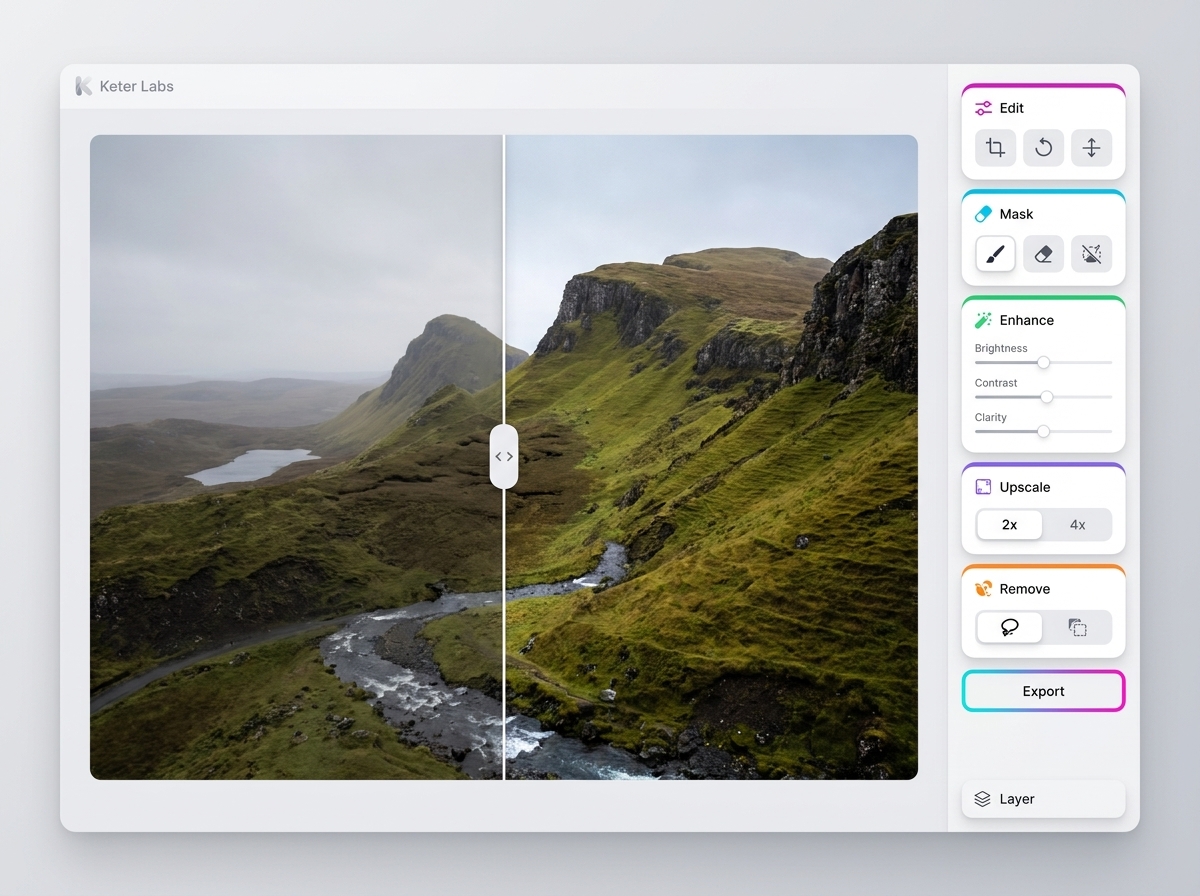
Product photo background removal

Product photo background removal

Remove the background from product photos so selected items can be reviewed for ecommerce visuals, product cards, presentation slides or mockup-ready assets.

Campaign image cleanup

Campaign image cleanup

Use a background removal workflow when campaign images need cleaner subjects before they appear in ads, landing pages, social posts or creative presentations.

Social and presentation visuals

Social and presentation visuals

Prepare cleaner visuals for social graphics, pitch decks, internal reviews and client-facing presentation assets before final creative decisions are made.

Ecommerce product visuals

Ecommerce product visuals

Use background removal to prepare product images for ecommerce layouts where the item needs to stand apart clearly before final review.

Mockup-ready images

Mockup-ready images

Clean up image backgrounds before using selected subjects in mockups so packaging, product, screen or campaign materials have a clearer starting point.

Ad creative preparation

Ad creative preparation

Prepare cleaner subjects for ads and campaign layouts where placement, edge quality and surrounding design context need to be checked before publishing.

Client review visuals

Client review visuals

Prepare cleaner visual options for client, stakeholder or team review while still checking suitability before final use.

Background remover for social media graphics

Background remover for social media graphics

Support social graphics that need cleaner subjects before they are used in campaign planning, creative approvals, posts or presentation workflows.
Workflow decisions

Choose the right image workflow before editing

AI background remover direct answer

AI background remover direct answer

Keter Labs Background Remover helps teams remove image backgrounds from selected visuals so product photos, campaign assets, social graphics, presentations and mockup-ready images are easier to review and reuse. Teams can prepare cleaner visuals and continue working across supported Keter Labs image, design, mockup and creative workflows.

AI background remover vs AI image generator

AI background remover vs AI image generator

An AI background remover and an AI image generator solve different tasks. An AI image generator creates new visuals from prompts, references or briefs, while an AI background remover works with an existing image and removes the background around the selected subject. Keter Labs keeps both workflows connected so teams can generate, clean up, review and reuse visuals inside supported creative workflows.

Background remover vs photo editor

Background remover vs photo editor

Background removal focuses on separating the subject from the background, while photo editing can include broader changes such as adjustments, cleanup, retouching or composition edits. Teams should choose the workflow that matches the task before using an asset in public or client-facing work.

Review background-removed images before publishing

Review background-removed images before publishing

Background-removed images should be reviewed before public, paid, client-facing or campaign use. Teams should check edge quality, subject accuracy, shadows, product shape, text clarity, brand fit, placement context and usage requirements before treating any edited image as final.

Workflow

How to remove a background in a creative workflow

Start with the selected image, remove the background around the subject, then review edge quality, subject accuracy, shadows, brand fit and placement context before publishing or sharing.

AI Background Remover for Product and Campaign Images workflow
1

Step 1

Choose the image to clean up and confirm whether it is for a product photo, campaign visual, social graphic, presentation, mockup or creative review.

2

Step 2

Remove the background around the subject inside the supported Keter Labs workflow while keeping the target use, brand direction and review context in mind.

3

Step 3

Review and reuse the cleaned visual, then continue into design, mockup, stock, image generation or upscaling workflows where supported.

4

Step 4

Check edge quality, subject accuracy, shadows, product shape, text clarity, file suitability, usage requirements and current plan details before publishing or sharing.

FAQ

AI background remover FAQs

What is an AI background remover?+

An AI background remover helps remove the background from an existing image so the subject can be used more easily in product visuals, campaign assets, social graphics, presentations, mockups and creative projects.

What can I use Keter Labs Background Remover for?+

Keter Labs Background Remover can support workflows for product photos, campaign images, ecommerce visuals, social media graphics, presentation visuals, mockup-ready images and client review assets.

Is an AI background remover the same as an AI image generator?+

No. An AI image generator creates new visuals from prompts, references or briefs, while an AI background remover works with an existing image and removes the background around the selected subject.

Is background removal the same as photo editing?+

No. Background removal focuses on separating the subject from the background, while photo editing can include broader adjustments, cleanup, retouching or composition changes.

Should I review background-removed images before publishing?+

Yes. Teams should review edge quality, subject accuracy, shadows, product shape, text clarity, brand fit, placement context and usage requirements before using background-removed images in public or client-facing work.

Who should use Keter Labs Background Remover?+

Keter Labs Background Remover is useful for marketers, ecommerce teams, agencies, designers, content teams and creators who need cleaner visuals for products, campaigns, social posts, presentations and mockups.

Next step

Remove backgrounds for cleaner campaign visuals

Use Keter Labs Background Remover when selected images need cleaner subjects before review, design, mockup, presentation or campaign production.

Create account
