// SKETCH TO IMAGE
Sketch to image AI — your drawing in, a finished image out
There is no canvas to draw on. You bring the sketch, and your prompt steers whether it comes back as a render, a comic panel or a product shot.
2 credits an image. 30 welcome credits cover 15. Sign in before you upload.
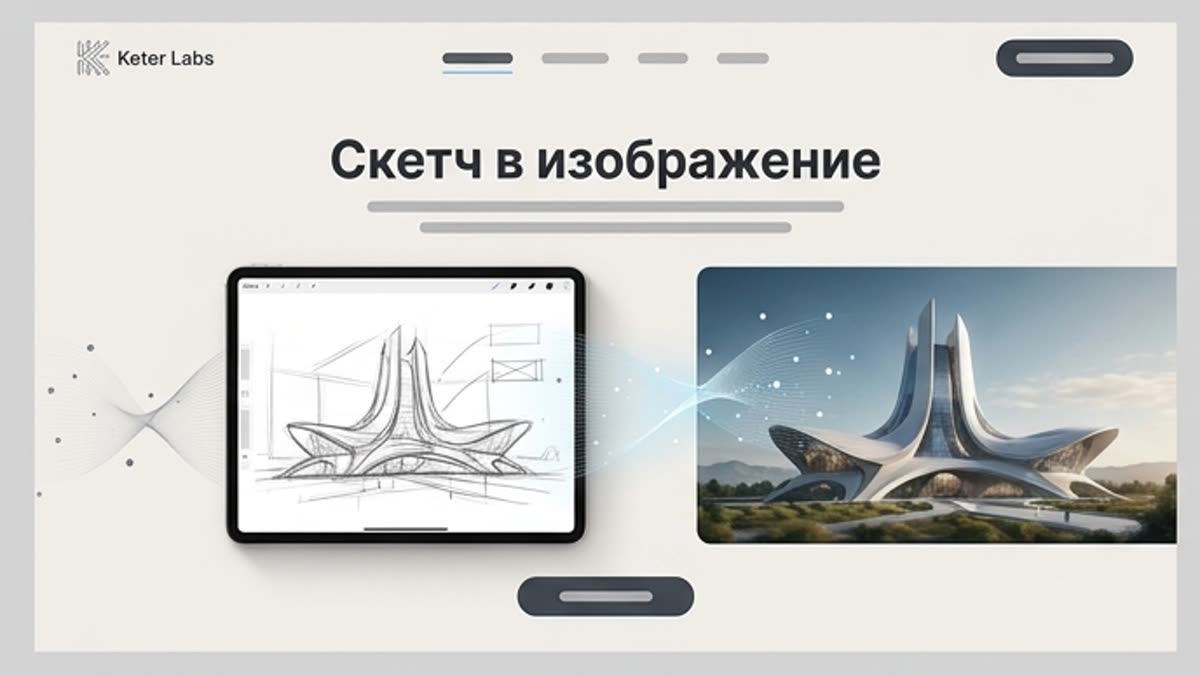
What the AI sketch generator does
The AI sketch generator is the Keter Labs image generator in sketch mode. Your drawing goes in as a reference, your words say what it becomes, and 2 credits buys each image. It suits a rough drawing you already have, on paper or on screen: a room layout, a character pose, a product outline.
Where your drawing goes
On a model that takes references you can fill both tiles at once, and use more than one image. Pick FLUX and the tiles disappear: it reads text only.
| Put it here | What it does | Works on |
|---|---|---|
| Style tile | Matches the artistic style, palette and mood of your drawing | GPT Image 2, Nano Banana Pro, Nano Banana 2, Auto |
| Character tile | Features the person or character you drew, and keeps them consistent | The same four |
| Library | Reuse a saved style, character, element, location or color | All models. FLUX gets their names as text |
| No upload | Describe the drawing instead, and your brief is the concept | All models |
What to draw, and what to write
Name the medium, the light and the finish, then run it again with one word changed. Uploading the sketch is the easy half. This is the other one.
| You drew | Write this next to it | What comes back |
|---|---|---|
| Room or house layout | Architectural-style interior render, morning light from the left, oak floor, keep the layout | An interior visual |
| Character pose | Comic-book inking, bold outlines, flat colour, keep the pose | A drawn character |
| Product outline | Studio product photo on white, soft shadow, matte finish | A product shot |
| Storyboard frame | Cinematic frame, dusk, wide lens, muted palette | A film still |
| Furniture piece | Catalogue render, walnut wood, neutral backdrop, straight-on view | A catalogue shot |
What sketch mode adds
Sketch mode puts one line in front of your brief: "Turn the supplied concept or reference into a polished image while preserving its intended structure and composition."
That sentence protects your composition. Then the AI Prompt switch, on by default, rewrites the whole request after it is built, and the preservation instruction goes with it. Switch AI Prompt off when your structure matters more than a richer prompt.
How to turn a sketch into digital art
- 1
Put the drawing in
Style tile for the look, Character tile for a person you drew.
- 2
Write what it becomes
The medium, the light and the finish, in plain words.
- 3
Generate and keep it
Download it, save it to a project, or open it from History while it runs.
What you get
- Cost
- 2 credits an image
- Welcome credits
- 30 once, worth 15 images
- Per run
- 1 to 4 images, 4 selected first
- Uploads
- PNG, JPEG or WebP, up to 8 MB
- Models
- Five, plus Auto
- Failed runs
- You keep the credits
- Full detail
- Models, shapes and references sit on the image generator page.
Where to take it next
| What you want | Tool | Credits |
|---|---|---|
| Style words for the result | Art generator | 2 |
| Start from text instead | AI image generator | 2 |
| Restyle a photo you have | Reimagine | 3 |
| Print it on a product | Mockup generator | 3 |
What this tool doesn't do
No canvas to draw on, so the sketch arrives as an upload or a description.
FLUX takes no uploads, and library names reach it as text.
Uploads over 8 MB, and PDF, HEIC or SVG files, are rejected.
Low-contrast scans are not corrected for you, so check the result.
The enhancer rewrites your prompt while it is on.
It does not turn a photo into a sketch or line art.
No mask or brush, and no vector export.
Four ratios, and four images at most per run.
Other image tools
Frequently asked questions
Is sketch to image AI free to use?+
Every account starts with 30 welcome credits, given once, which covers 15 images at 2 credits each. If your balance runs short, the run stops before it starts.
How can I convert a sketch into a digital image?+
Put it in the Style or Character tile, write the medium and the light, then generate. Up to four images come back per run.
Can AI turn my drawing into a realistic image?+
You can ask for a photographic or rendered look, and your words do most of that work. Check the result before using it.
Can it turn a photo into a sketch or line art?+
No, it runs the other way. Reimagine comes closer: Restyle keeps the subject and composition, but reinterprets the artistic style, at 3 credits.
Why did my upload disappear when I changed models?+
FLUX reads text only, so the tiles are hidden there. You get a seed on those models for repeatable runs, but no reference image.
Can I sell what I make?+
Keter Labs' Terms say: "Subject to applicable law and third-party model terms, you also own the media you generate ('Output') to the extent originality is legally recognized." Read them before you sell.