// AI ART
AI art generator — name the style, copy the prompt
Other tools count their styles. This page gives you the words that put a style into your prompt, and says what the tool adds on top.
2 credits per image. 30 welcome credits cover 15.
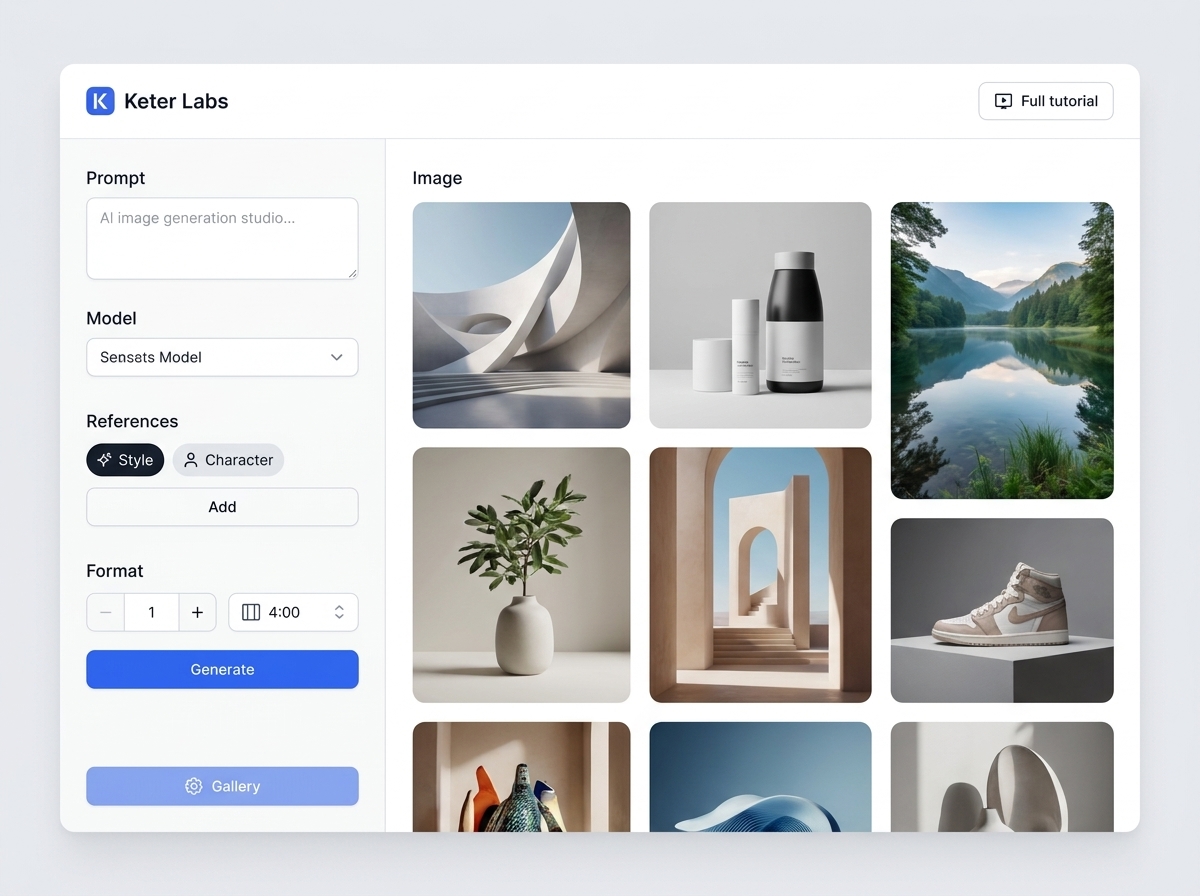
What the AI art generator does
The AI art generator is the Keter Labs image generator running in art mode, inside an AI creative studio. You write what the piece shows, name a style, and get one to four images at 2 credits each. Your prompt does the work here, because AI art lives or dies on the words you choose.
Style prompts you can copy
Name the subject, the setting and the light, then add the style. Swap a few words and run it again when the first result misses. Words like photorealistic, oil painting, cyberpunk or sketch steer a whole piece. These are prompts, not settings in the tool.
| Style | Prompt to copy | Good for |
|---|---|---|
| Pixel art | 16-bit pixel art of a fishing village at dusk, limited palette, crisp pixel edges | Game sprites, avatars |
| Anime | Anime illustration of a swordsman on a rooftop, clean line work, cel shading | Characters, posters |
| Fantasy | Fantasy painting of a flooded library, shafts of light, painterly brushwork | Book covers, worlds |
| Tabletop character | Character portrait of a dwarf ranger, worn armour, moody tavern light | Campaign sheets |
| Concept art | Concept art of a mining rover, side view, neutral grey background | Pitch decks, briefs |
| Illustration | Flat vector-style illustration of a city commute, bold shapes, two accent colours | Blog headers, slides |
| Watercolour | Loose watercolour of a lemon branch, wet edges, visible paper texture | Cards, invitations |
What art mode adds to your prompt
Art mode puts one line in front of your brief: "Create a finished artwork with a deliberate composition, consistent medium, and strong visual hierarchy." Leave the AI Prompt switch on and the enhancer takes that whole text and can rewrite it. The model is the same one the image generator uses, so art mode changes the words, not the engine.
How to make AI art from text
- 1
Write the brief
Name the subject, the setting and the light in plain words.
- 2
Add the style
Copy a line from the table above, or write your own style words.
- 3
Generate and download
Keep the pieces that land, and save the rest for later.
What you get
| Cost | 2 credits an image |
| Welcome credits | 30 once, worth 15 pieces |
| Per run | 1 to 4 images, 4 selected first |
| Models | Five, plus Auto. Models, shapes and references in full sit on the AI image generator page. |
| References | A library style or character adds a reference. Art mode stays the same |
| Failed runs | You keep the credits |
Where to take the artwork next
| What you want | Tool | Credits |
|---|---|---|
| Start from your own drawing | Sketch to image | 2 |
| Keep one character across pieces | Custom characters | 2 |
| Restyle a piece you already have | Reimagine | 3 |
| Print it on a product | Mockup generator | 3 |
What this tool doesn't do
No style presets and no gallery to browse. The words in your prompt are the style.
Art mode changes the prompt, not the model.
The enhancer can rewrite your prompt while it is switched on.
Text inside an image can come out misspelled.
No SVG or vector export.
Four ratios, and four images at most per run.
Seed works on the FLUX models only.
No mask or brush to change one area.
Other image tools
Frequently asked questions
Is the AI art generator free?+
Every account starts with 30 welcome credits, given once. At 2 credits an image, that covers 15 pieces of AI generated art.
Can I sell AI generated art from here?+
Keter Labs' Terms say you own what you generate, "subject to applicable law and third-party model terms" and "to the extent originality is legally recognized." Read the full Terms before you sell a piece.
Can ChatGPT make art here?+
GPT Image 2 is one of the five models in the picker, so you can run your art prompt on it. Nano Banana and FLUX sit beside it.
Which art styles work in a prompt?+
Pixel art, anime, fantasy, concept art, watercolour and oil painting all land well, and so do cyberpunk and photorealistic.
What does art mode change?+
It adds the artwork line in front of your brief and renames the tool. Everything else stays the same.
Can I start from a drawing instead?+
Yes. Sketch to image takes your drawing and works from its structure.