// UNBLUR IMAGE
Unblur image — upload a soft photo, get the detail rebuilt
The model enlarges the image and reconstructs detail as it goes. You control how much it rebuilds and how close it stays to the original.
Ten runs, full resolution, no watermark.
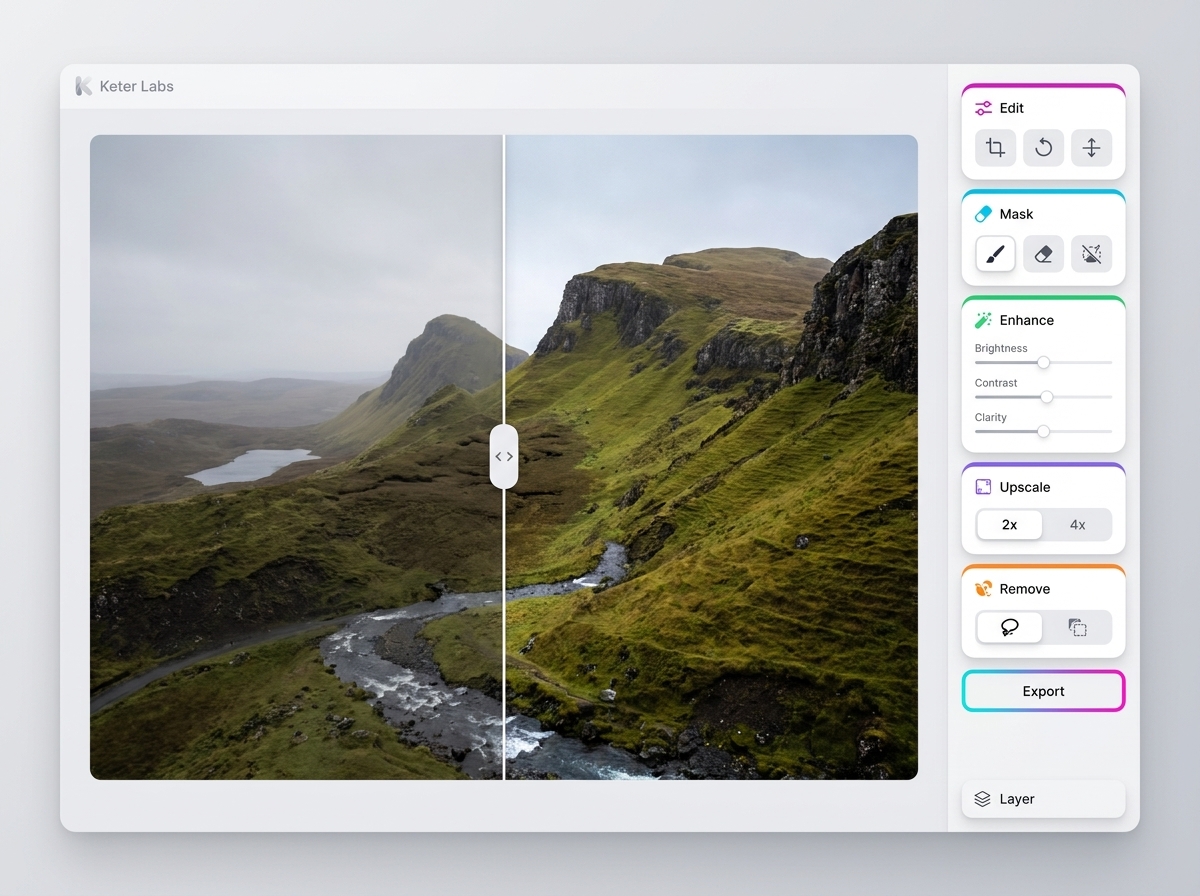
How unblurring works here
Unblurring runs through the image upscaler, a tool inside Keter Labs, an AI creative studio. The model enlarges your image and reconstructs detail as it does, so a soft photo comes back both sharper and larger. It rebuilds plausible detail rather than recovering what the camera never recorded.
- Takes
- A soft, blurry or low-resolution image
- Returns
- A sharper, enlarged version
The nine settings
Portrait options tell the model to concentrate on the subject rather than the whole frame.
| Setting | What it changes |
|---|---|
| Mode | Precision holds close to the original. Creative allows more reconstruction. |
| Model | Which upscaling model runs |
| Preset | Subtle, Balanced or Strong — a starting point for how much is rebuilt |
| Scale | How much larger the output is |
| Optimized for | Standard, portraits, art and illustration, or nature and landscapes |
| Creativity | How much new detail the model may invent |
| HDR | How much local contrast is added |
| Resemblance | How closely the result tracks the original |
| Fractality | How fine the rebuilt texture is |
How to unblur an image
- 1
Upload the photo
PNG, JPEG or WebP, up to 8 MB.
- 2
Pick a mode and a scale
Precision when the source is close to usable. Creative when it's very soft.
- 3
Generate, then adjust
If the result drifts from the original, raise Resemblance or lower Creativity and run it again.
What you get
| Output | A sharper, enlarged image |
| Output resolution | Larger than your upload, by the scale you pick |
| Watermark | None |
| Upload formats | PNG, JPEG, WebP |
| Upload size | Up to 8 MB |
| Images per run | One |
| Free runs | Ten |
| Cost after that | 3 credits each |
| Failed runs | Refunded, so a timeout costs no credits |
Not the same as sharpening
A sharpening filter raises contrast along edges that are already there. This rebuilds detail that isn't, which is why it can go further than a filter and why it can also go wrong. If you want a predictable, reversible adjustment on a photo that is already sharp enough, an editor with an unsharp mask is the safer tool.
What this tool doesn't do
It rebuilds detail. It doesn't recover detail the camera never recorded.
Blurred text and licence plates come back sharp but wrong.
On a badly blurred face, features can change.
Higher Creativity settings drift further from the original.
The scale you can reach depends on the model you pick.
There's no brush to sharpen one part of the image.
You get a finished image, not a layered file.
Who it's for
Sellers
an old product photo brought up to a usable size
Anyone with an archive
small scans and phone photos from years ago
Designers
a client's low-resolution logo or asset before a layout
Frequently asked questions
Can it read blurry text or a licence plate?+
No. The model rebuilds plausible detail rather than recovering what was never captured, so unreadable text comes back sharp and wrong. Don't use it anywhere accuracy matters.
Is this the same as upscaling?+
Yes. Sharpening happens as part of enlarging, so the output is both sharper and larger than what you uploaded.
Precision or Creative?+
Precision when the source is nearly usable and you need it faithful. Creative when the image is very soft and you accept the model filling in more of it.
Will a face still look like the same person?+
Lower Creativity and higher Resemblance keep it closer. On a badly blurred face, any setting can change features.
The result looks too smooth. What do I change?+
Fractality controls how fine the rebuilt texture is, and HDR controls local contrast. Raise either and run it again.
Is it free?+
New accounts get 30 welcome credits, which covers ten runs. Each one after that costs 3 credits. Output has no watermark.
Upload a soft photo and see how far it comes back.